History
Every night, side by side
Pick a night from the list and its full report opens right next to it. Compare nights without tapping in and out.
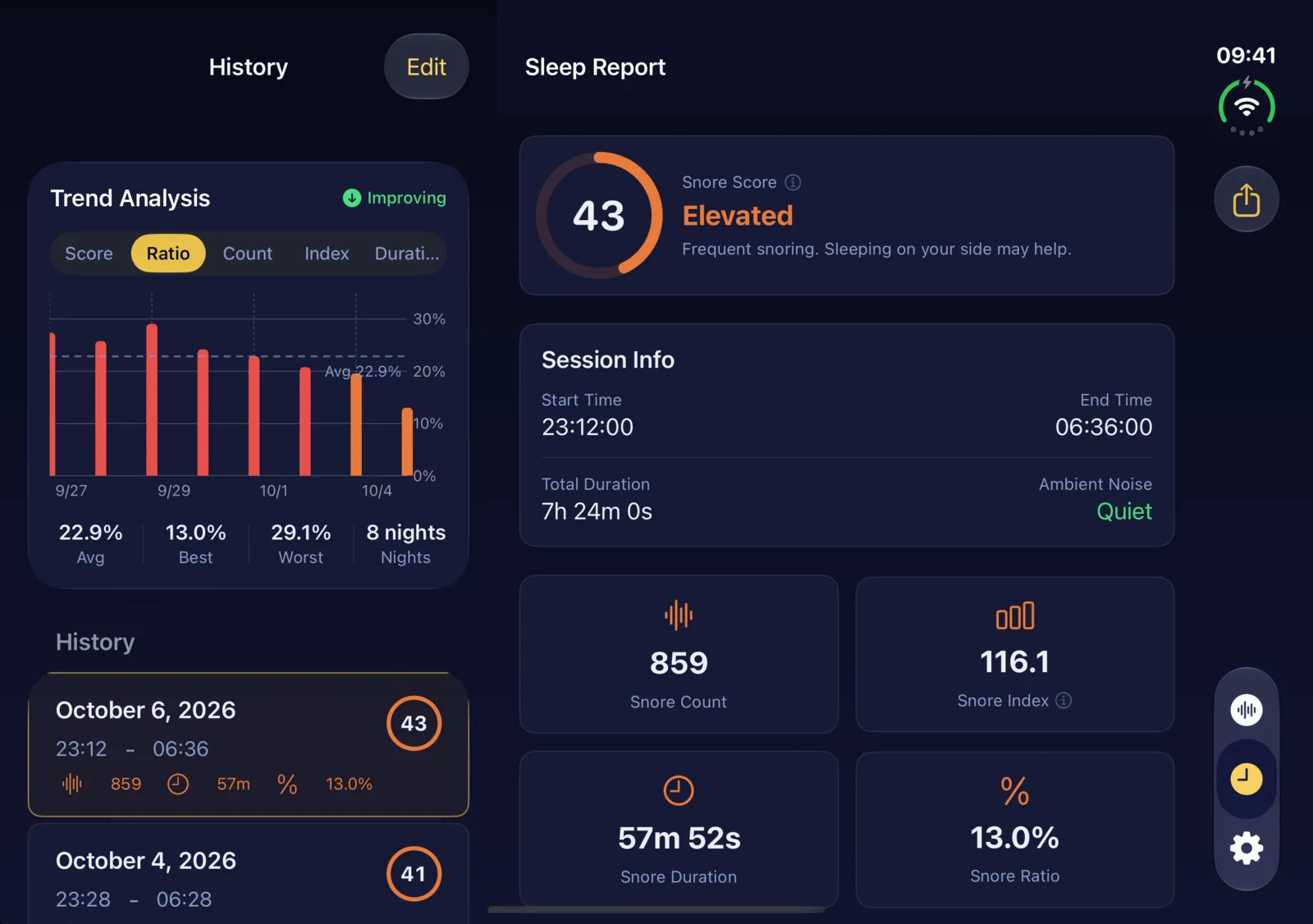
On iPhone Duo’s inner display, NightSnore spreads out: two columns where a phone has one, and room for details that used to need a scroll.
Pick a night from the list and its full report opens right next to it. Compare nights without tapping in and out.
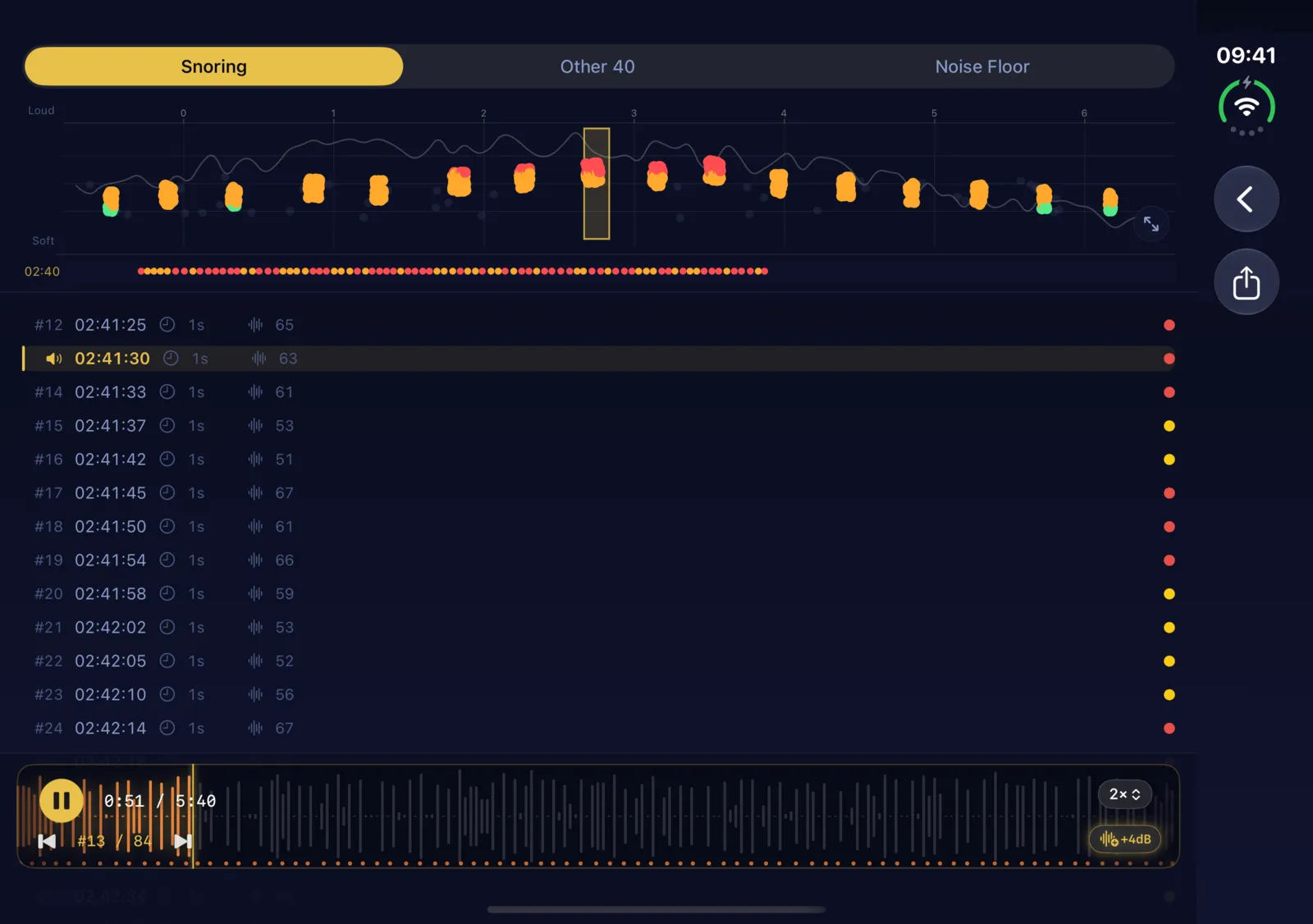
The chart stays pinned while the list plays along — replay any stretch of the night and watch it move across the timeline.
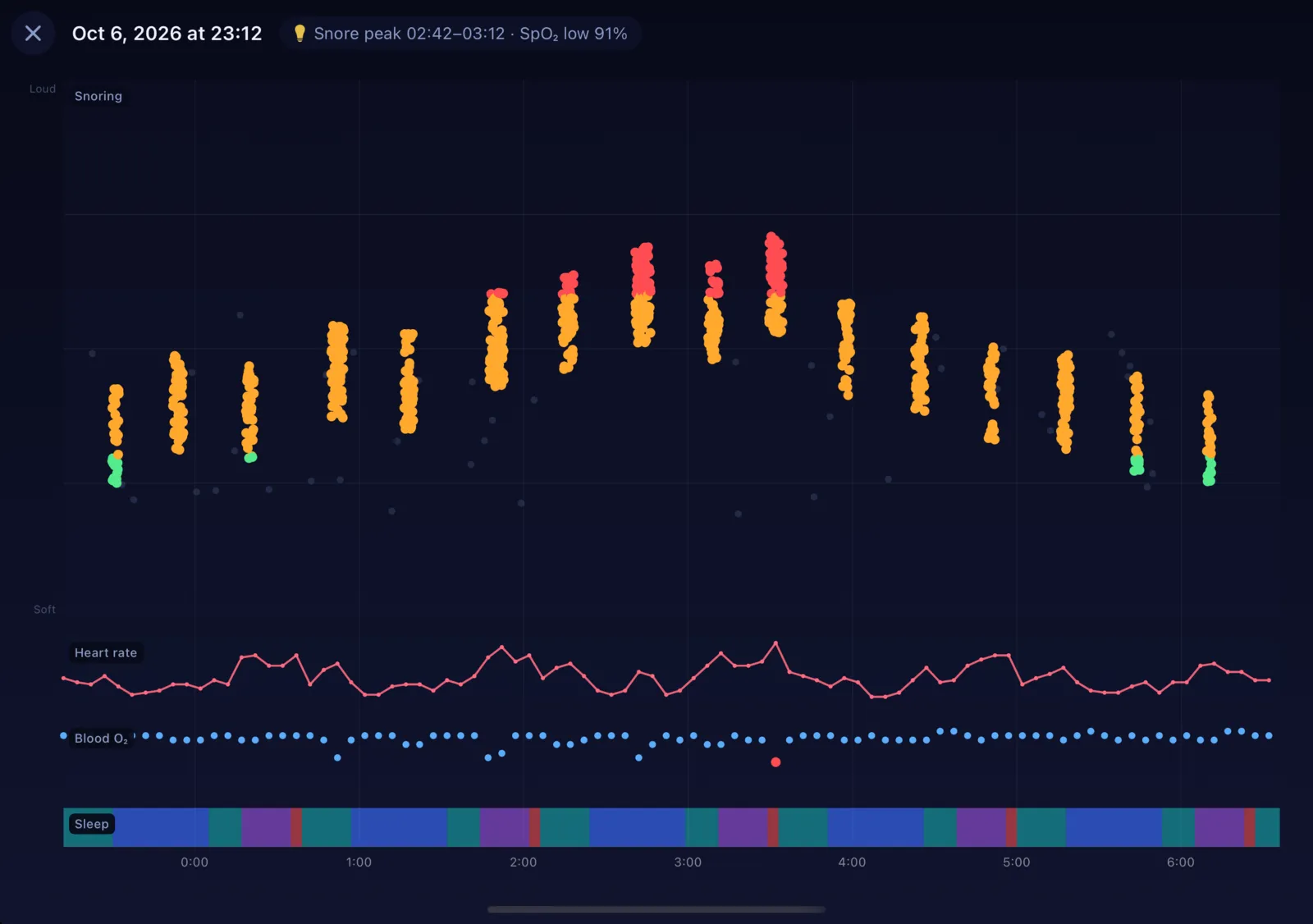
Line up your snoring with heart rate, blood oxygen and sleep stages from Apple Health on one shared timeline.
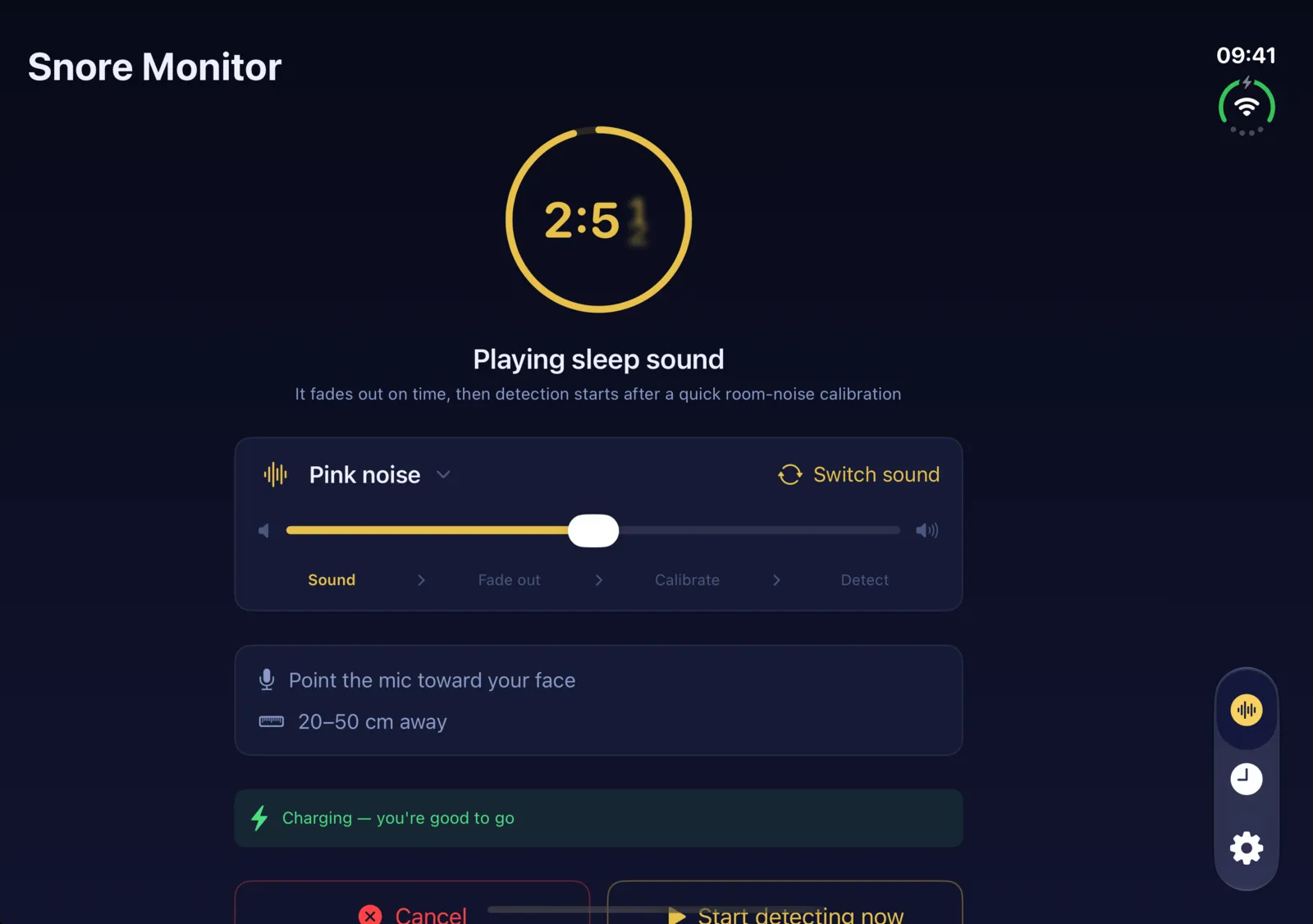
Choose a sound when you use Delayed start — rainforest, ocean waves, a train carriage and more, 18 in all. Every sound is generated live on your iPhone, so it never loops, and it fades out before detection begins.
The layout follows the screen you’re using: a single column on the outer display, side by side on the inner one. Nothing to set up.
None of the audio NightSnore captures ever leaves your device. No microphone data is uploaded, no recordings are sent to a server, and no account is required. The entire pipeline — adaptive noise tracking, AI sound classification, event recording — runs locally using Apple's on-device frameworks. Even the neural network inference happens right on your iPhone. You can delete everything from Settings at any time.
Download or update from the App Store. Monitoring and nightly reports are always included.
Download on the App StoreRequires iOS 17.6 or later. Works on every iPhone; the side-by-side layouts appear on iPhone Duo’s inner display. Snore playback and full-screen analysis are part of the one-time unlock.