🌙 Sleep Intelligence

Understand
your sleep.

NightSnore uses your iPhone's microphone to silently detect, record and analyze snoring while you sleep — giving you clear insights every morning.

Download on the App Store iOS 17.6+ · Free to download
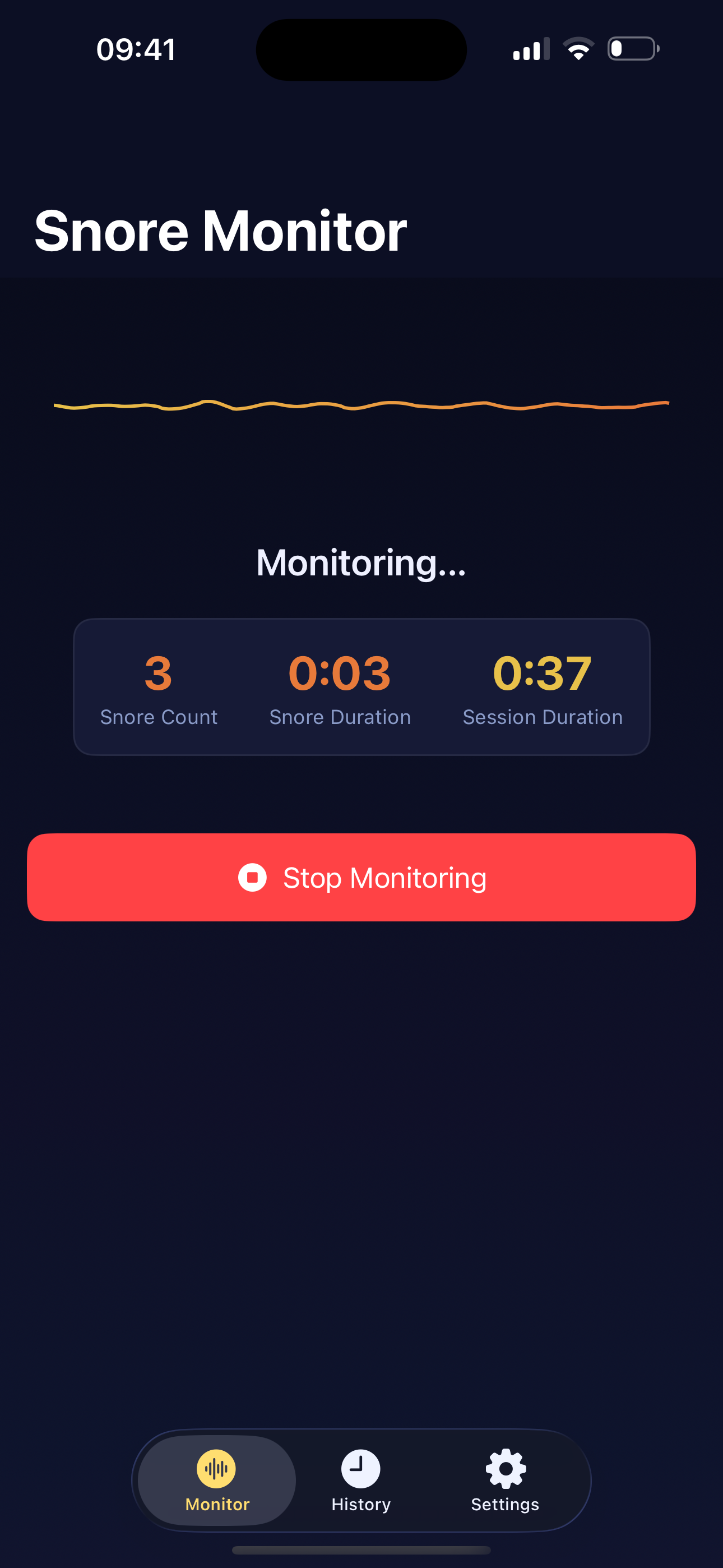
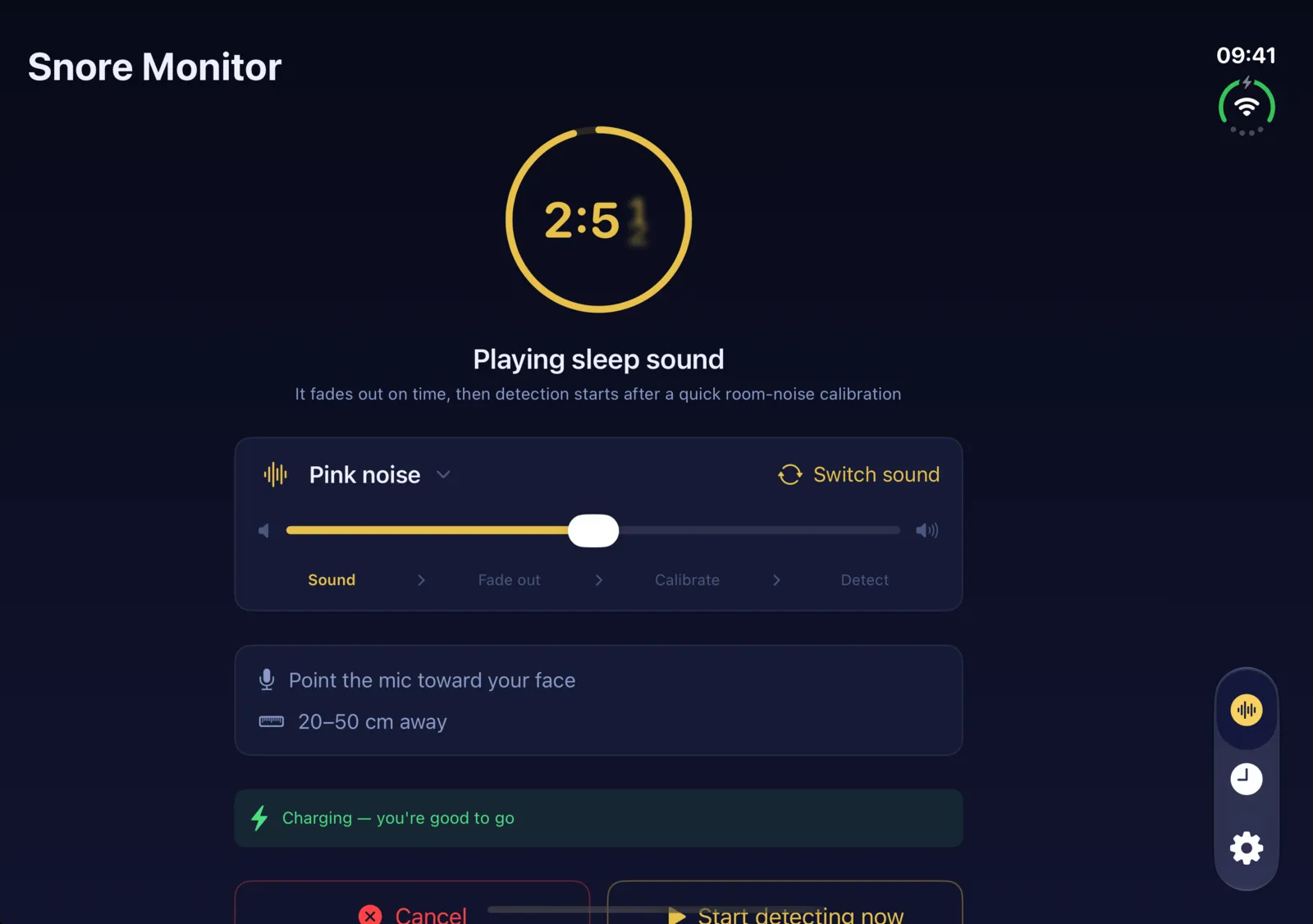
NightSnore monitoring screen
5s
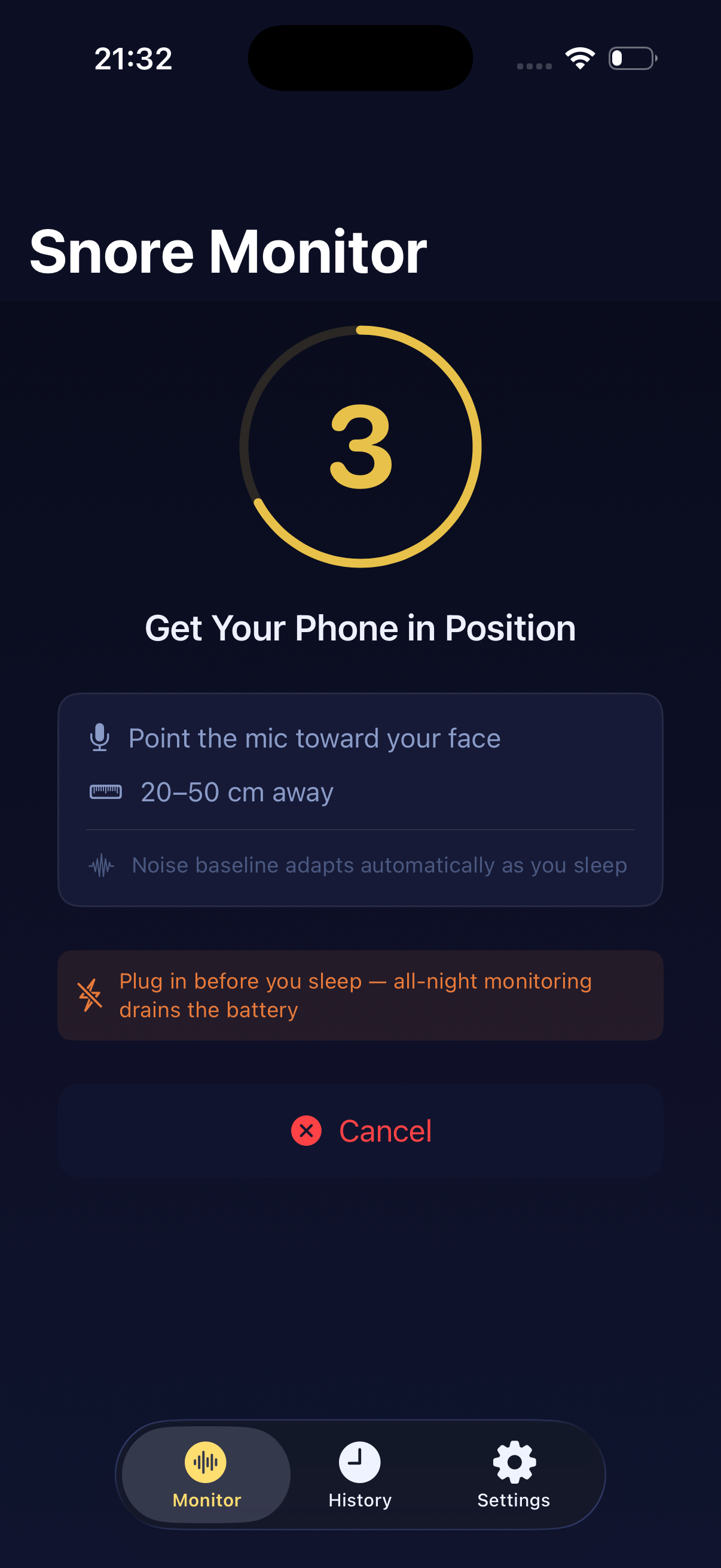
Countdown to get in position, then monitoring starts automatically
100%
On-device processing — your data never leaves your phone
8h+
Continuous background monitoring all night
The price goes up in steps

The one-time unlock gets more expensive at each step below. Pay once and keep it for good; it never turns into a subscription. Monitoring and the nightly report stay available without paying. See the current price on the App Store

  • $2.99Through Sep 17
  • $3.99now
  • $4.99Oct 18 – Nov 17
  • $5.99From Nov 18

Simple to set up.
Powerful insights overnight.

No wearables, no subscriptions, no account required. Just place your iPhone nearby and let NightSnore do the rest.

1

Place Your Phone

Set your iPhone on the nightstand or pillow, microphone facing toward you. Recommended distance: 20–50 cm.

2

Tap Start & Sleep

After a 5-second countdown, NightSnore begins monitoring immediately — or, if you fall asleep to TV or music, set it to start 15–60 minutes later. The noise baseline adapts automatically throughout the night — no manual calibration needed.

3

Wake Up to Insights

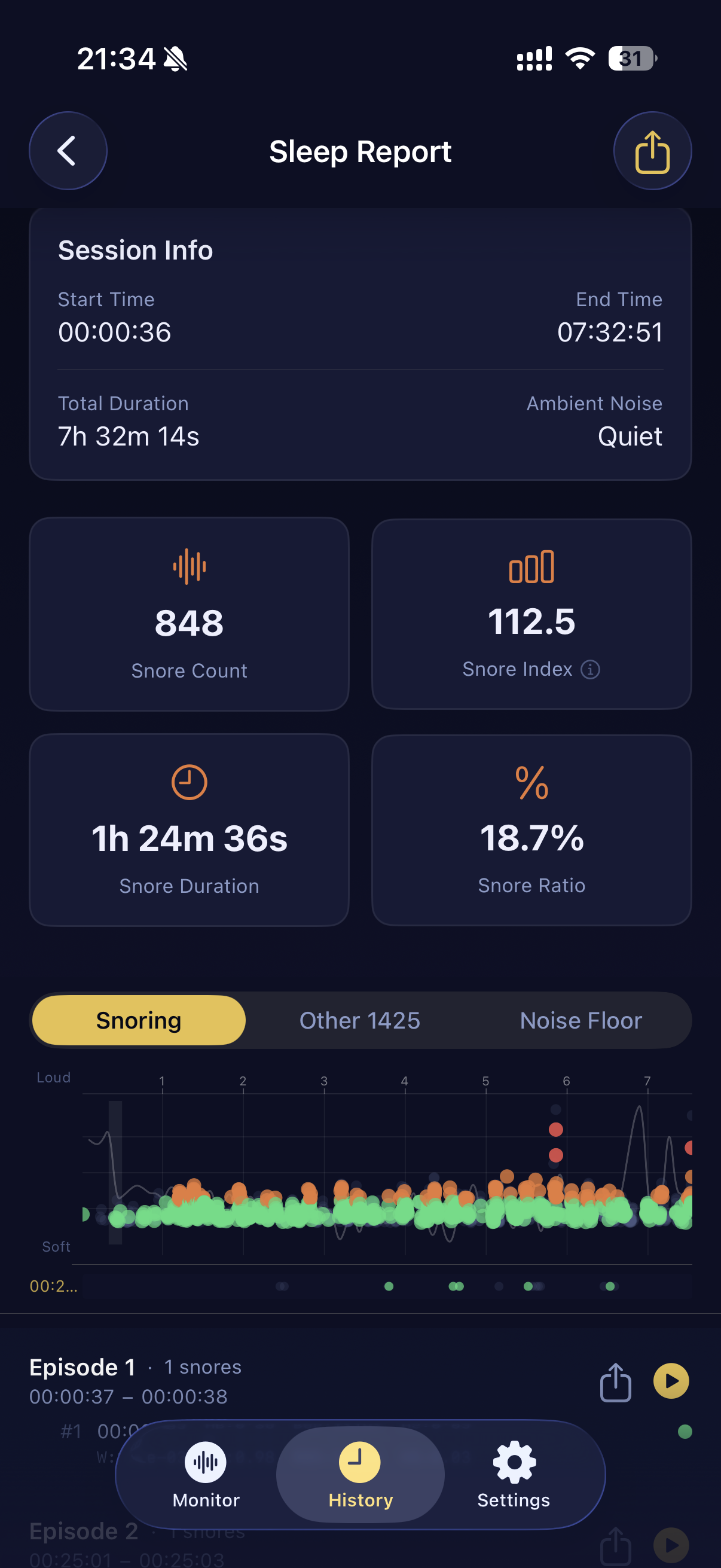
In the morning, review your Snore Index, snore count, duration, timeline and multi-night trends to understand your sleep patterns.

A 30-second tour of NightSnore — real app screens, sample data.

Everything you need
to understand your snoring.

Real-Time Waveform

Watch your microphone's live audio waveform while monitoring, so you know it's working before you fall asleep.

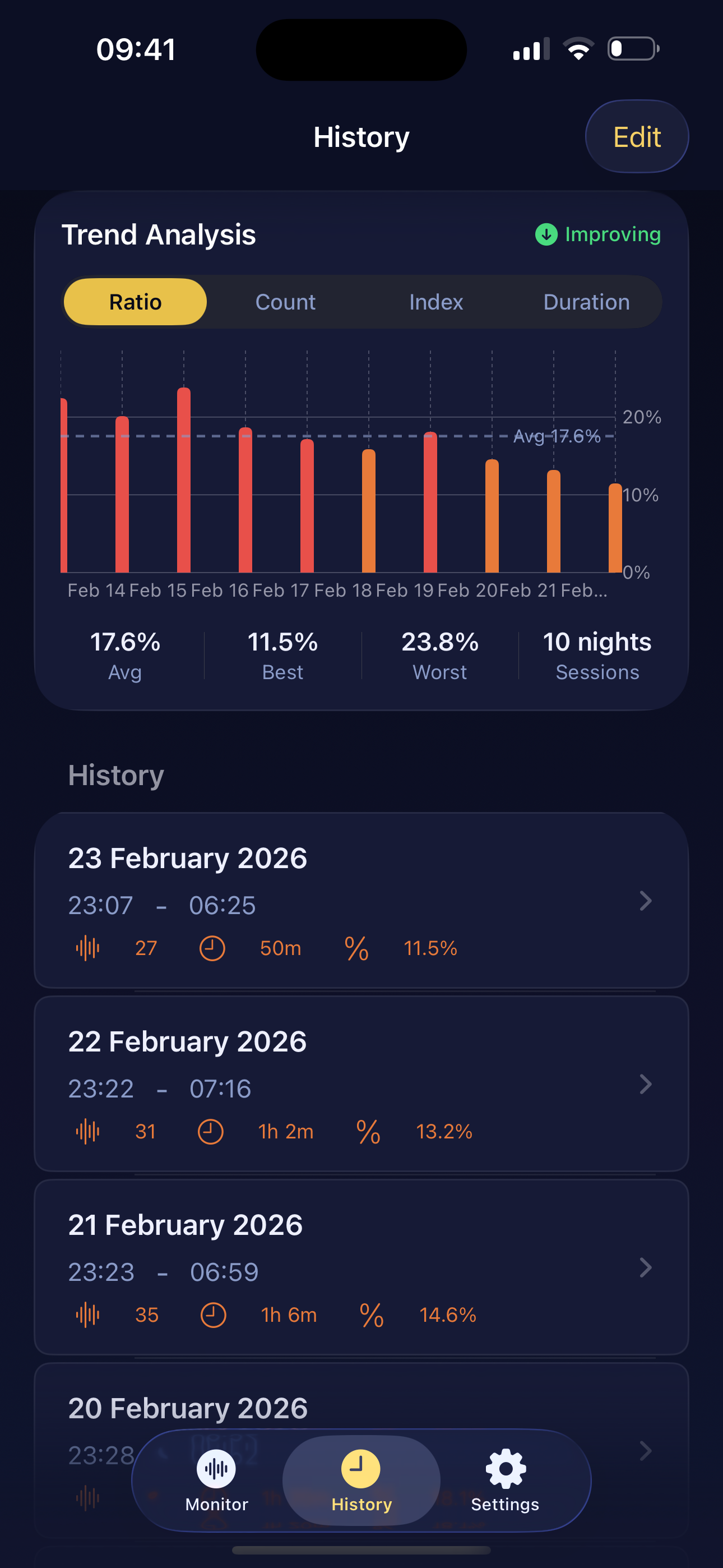
Trend Analysis

View multi-night trends for snore ratio, count, index and duration. See your best and worst nights at a glance.

Live Activity & Dynamic Island

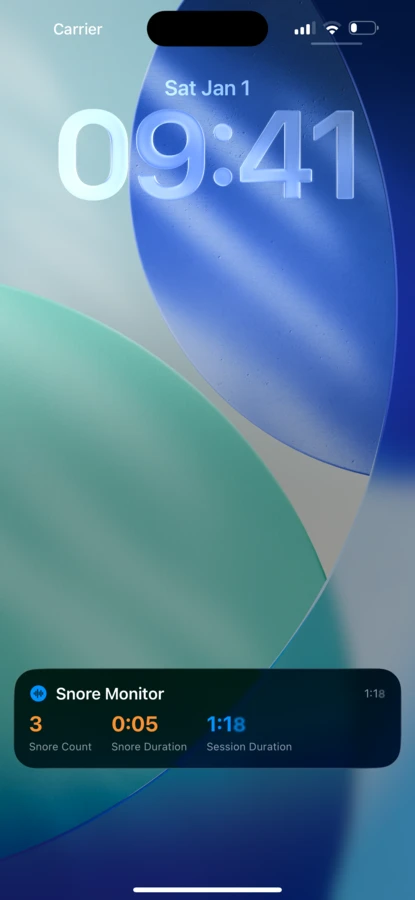
A live session timer runs on your lock screen and Dynamic Island all night — one glance confirms monitoring is still going, no unlock needed.

CSV & PDF Export

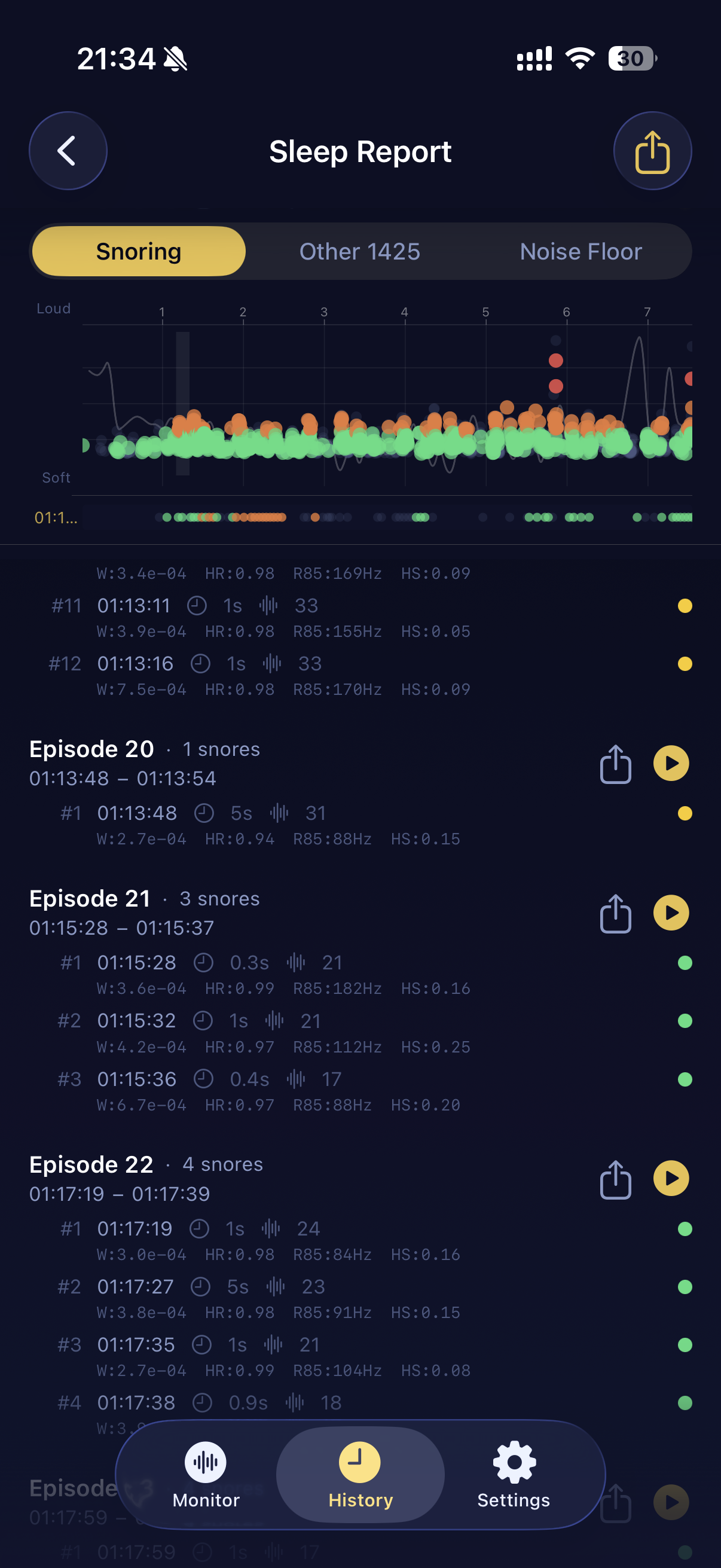
Export detailed session reports — including every individual snore event — to CSV or PDF to share with your doctor.

Fully Private

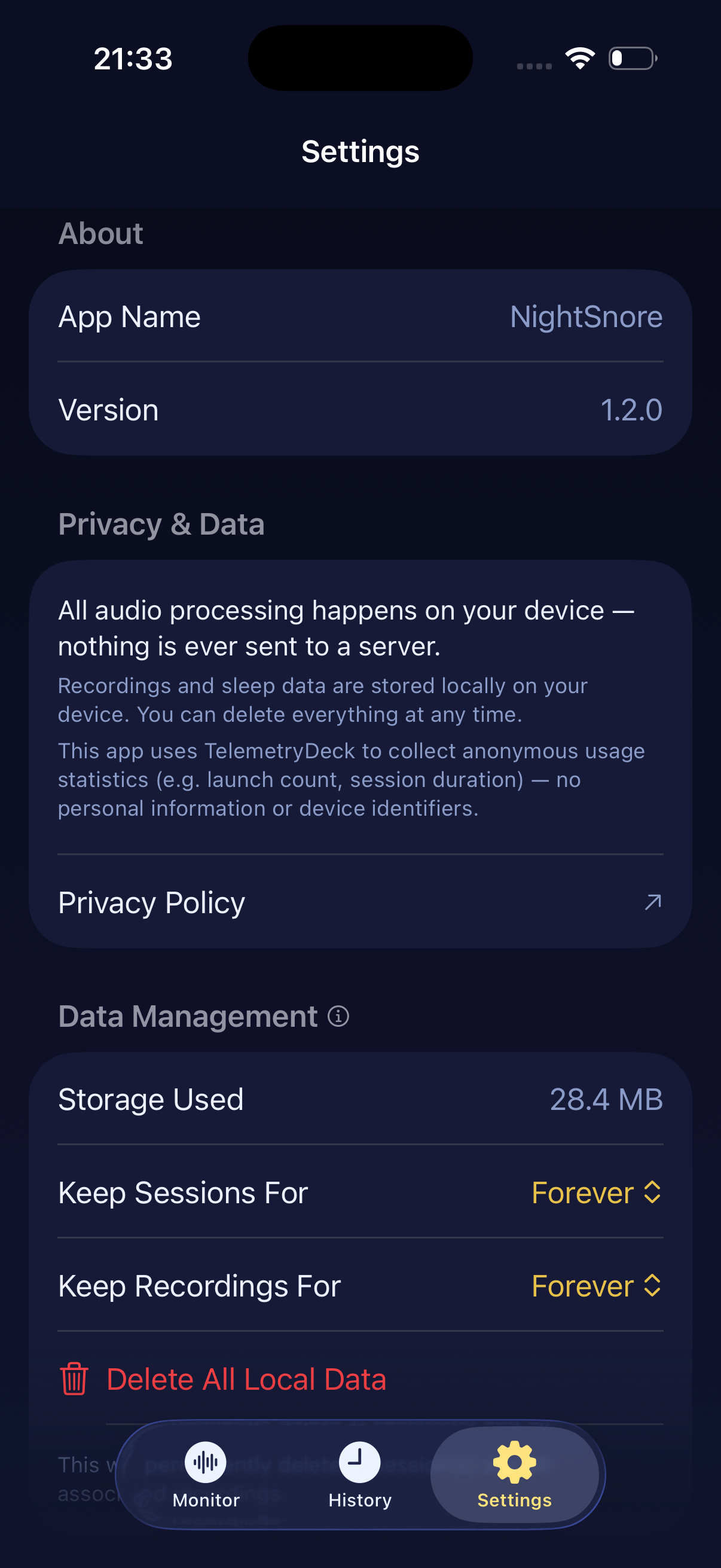
All audio analysis runs on your device — signal processing and on-device AI classification alike. Zero cloud upload, zero account required.

Sleep Sounds

Fall asleep to rain, ocean waves, a crackling campfire and 15 more sounds, generated live on your iPhone so they never loop. Set a delayed start and the sound fades out on schedule, NightSnore recalibrates to your now-quiet room, and only then starts listening for snores.

Learn more →

See it in action.

Onboarding

Onboarding

Monitoring

Monitoring

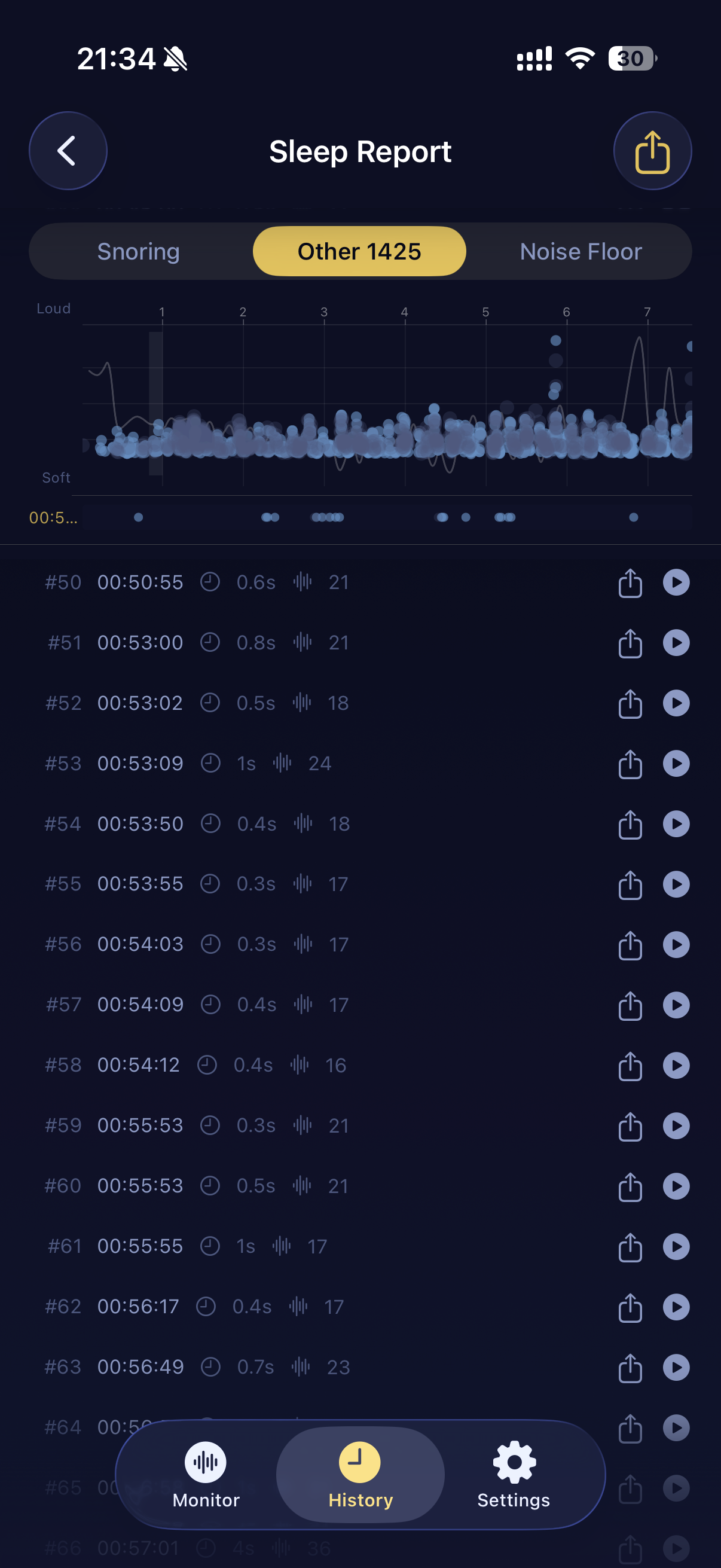
Sleep Report

Sleep Report

Snore Episodes

Snore Episodes

Other Sounds

Other Sounds

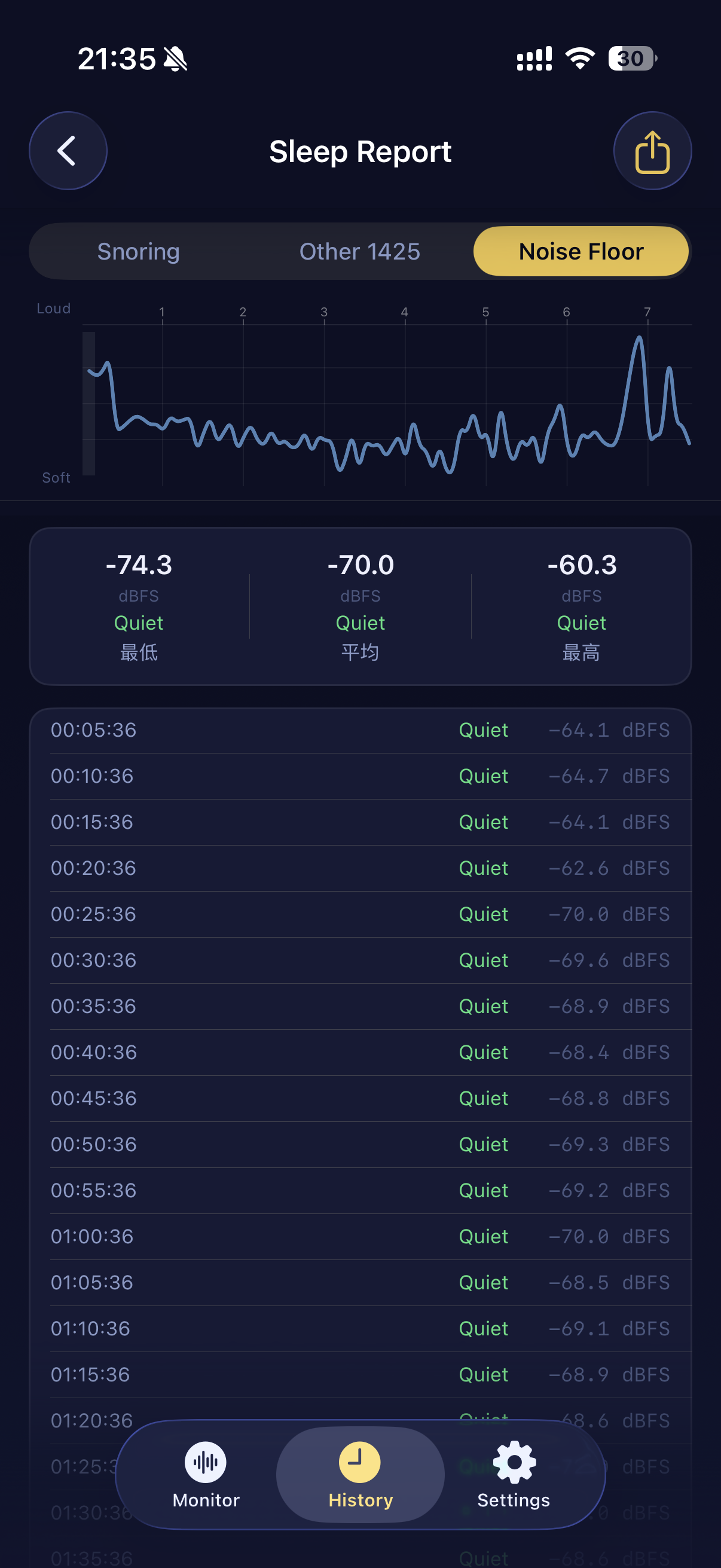
Noise Floor

Noise Floor

History & Trends

History & Trends

Settings

Settings

Your nights are yours alone.

We designed NightSnore with a simple principle: your sleep audio is deeply personal. It never leaves your device — not even a single byte.

No Cloud Processing

All audio analysis runs locally — signal processing plus a neural network, executed on your iPhone through Apple's CoreML. No servers, no cloud AI APIs.

Data Stays On-Device

Sessions and recordings are stored in your iPhone's local database. Delete anytime from Settings.

No Account Required

Open the app and start. No email, no registration, no tracking.

Live Activity on lock screen

Stay informed while you sleep.

NightSnore posts a Live Activity to your lock screen the moment monitoring begins, with a session timer that keeps running all night. One glance confirms everything is still recording — no need to unlock your phone. Your snore count and full statistics live in the app, ready whenever you open it.

On iPhone 14 Pro and later, the Dynamic Island shows a compact indicator so you can check at a glance — no interruption to your sleep.

NightSnore

Better sleep starts tonight.

Download NightSnore and wake up knowing
exactly what happened while you slept.

For iOS 17.6 and later · Requires iPhone · Not intended as a medical device